
People
Time off, without the chasing.
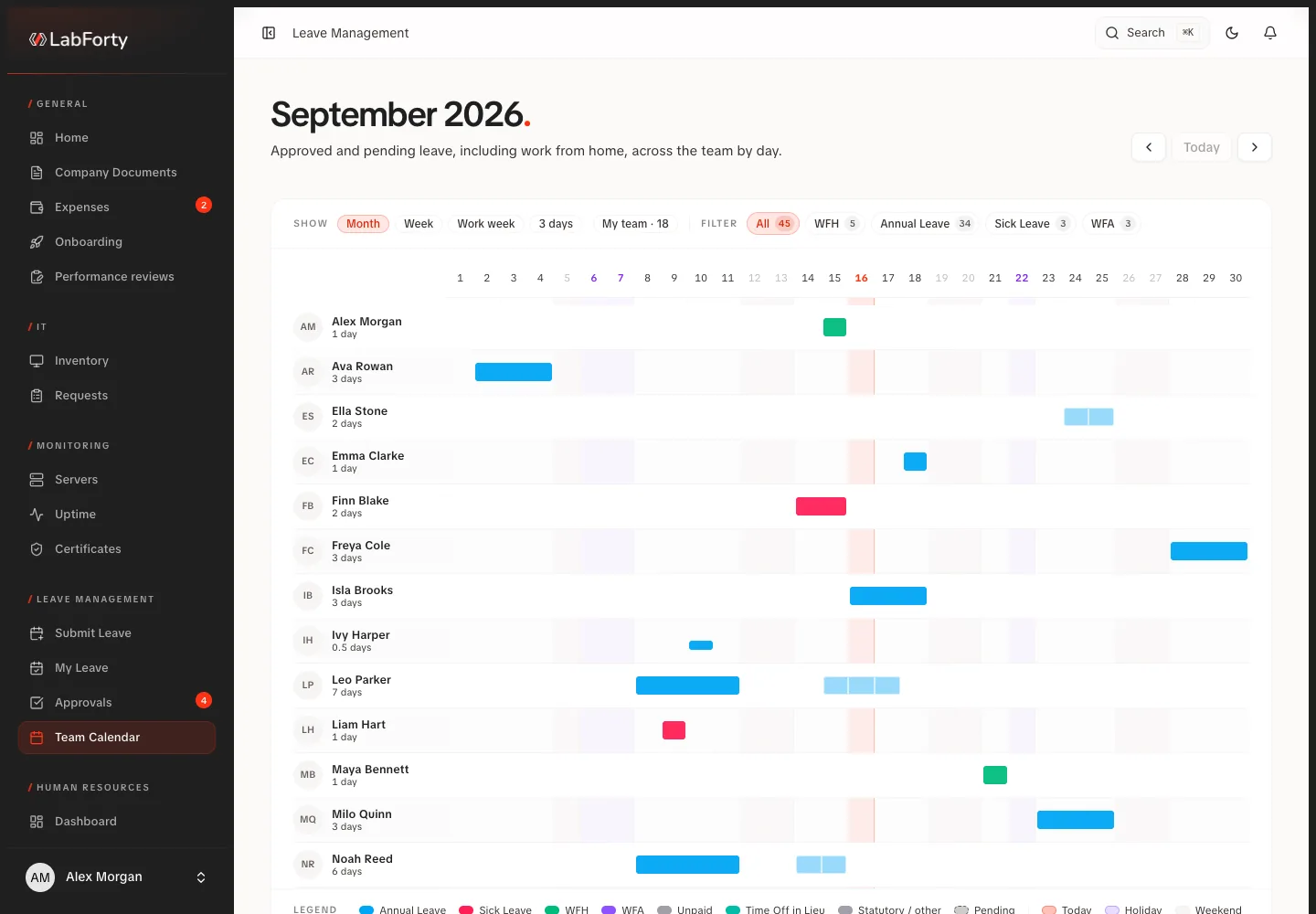
Give employees a place to request leave and managers a clear view of what needs a decision. Approved absences appear in the team calendar.
- Request time off
- Review the request
- Check the team calendar
LabForty Core is a configurable intranet for companies. We shape it around the way your business works, bringing people, projects, requests, records, documents and everyday administration into one place.
Workflows
From a leave request to a client invoice, give each process a clear place and each next step an owner.
People
Give employees a place to request leave and managers a clear view of what needs a decision. Approved absences appear in the team calendar.
Work
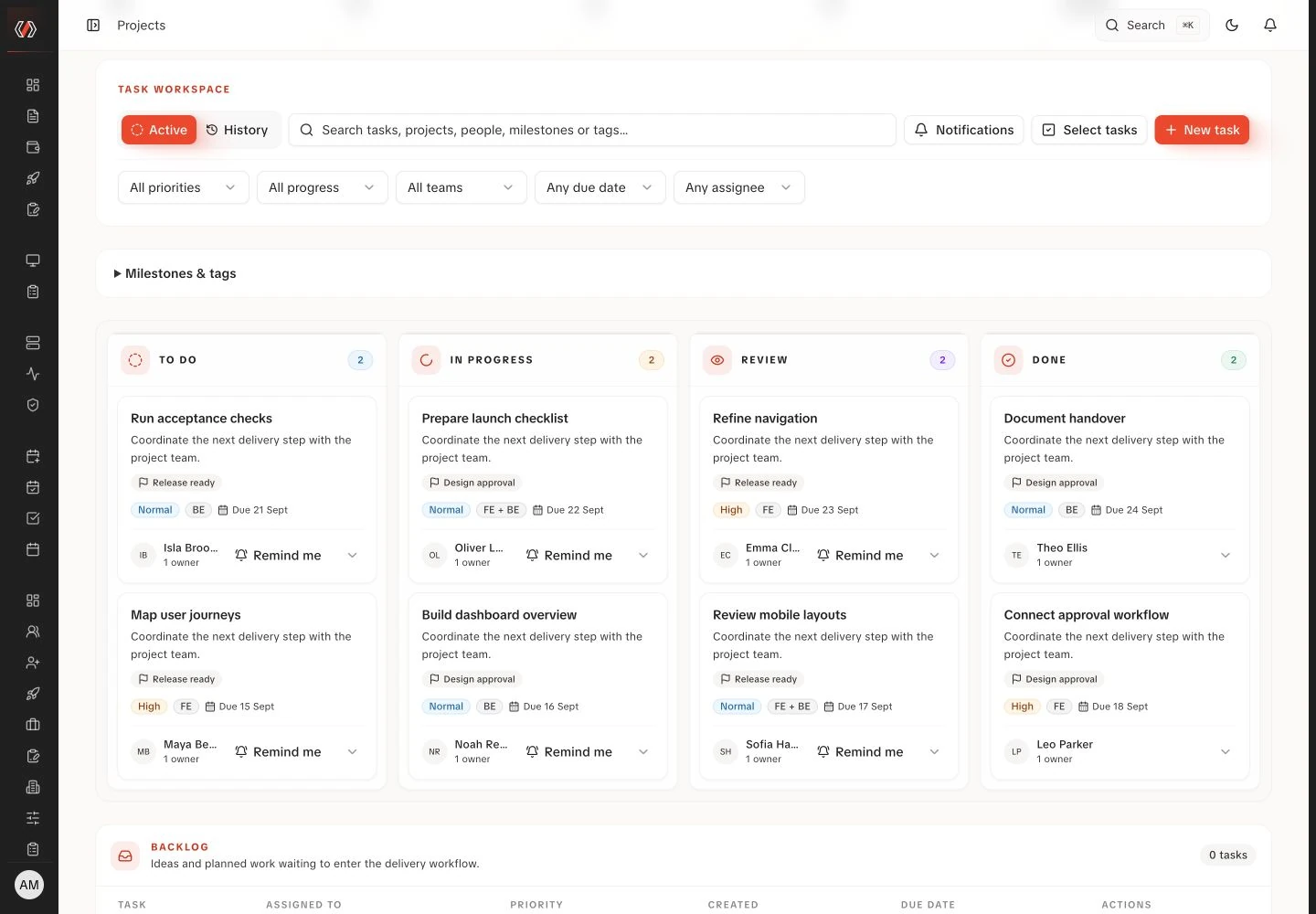
Organise projects and tasks, follow progress and keep a record of who holds which equipment.
Business
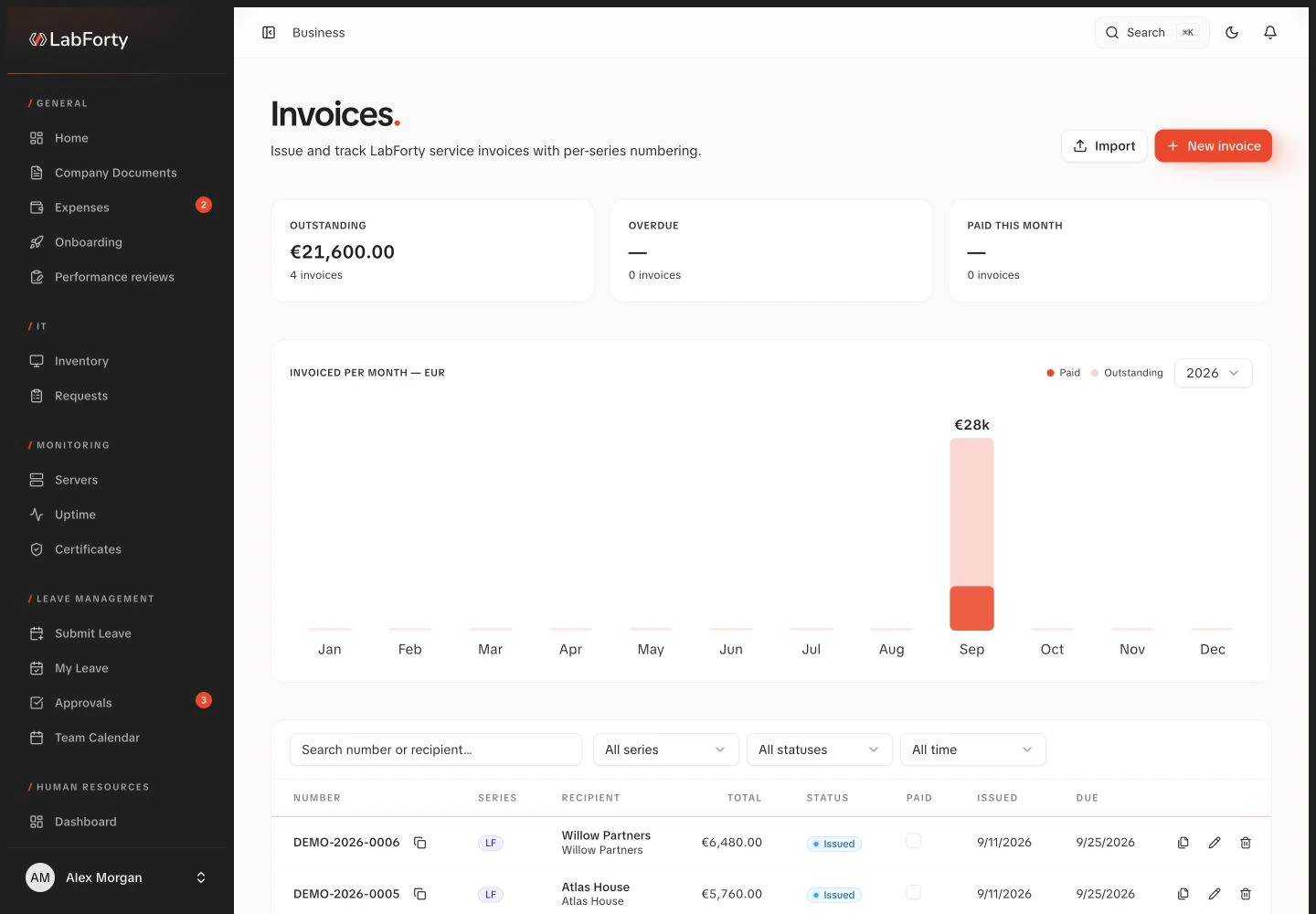
Keep client records, then prepare proposals and invoices from those records, each linked to the client it belongs to.
Modules
Four screens follow one colleague from application to time off, and the index below lists all fourteen modules. Each screen shows the real product with fictional demo data. You choose the modules your company needs and we configure the intranet around your processes.
LabForty Core
Who is joining
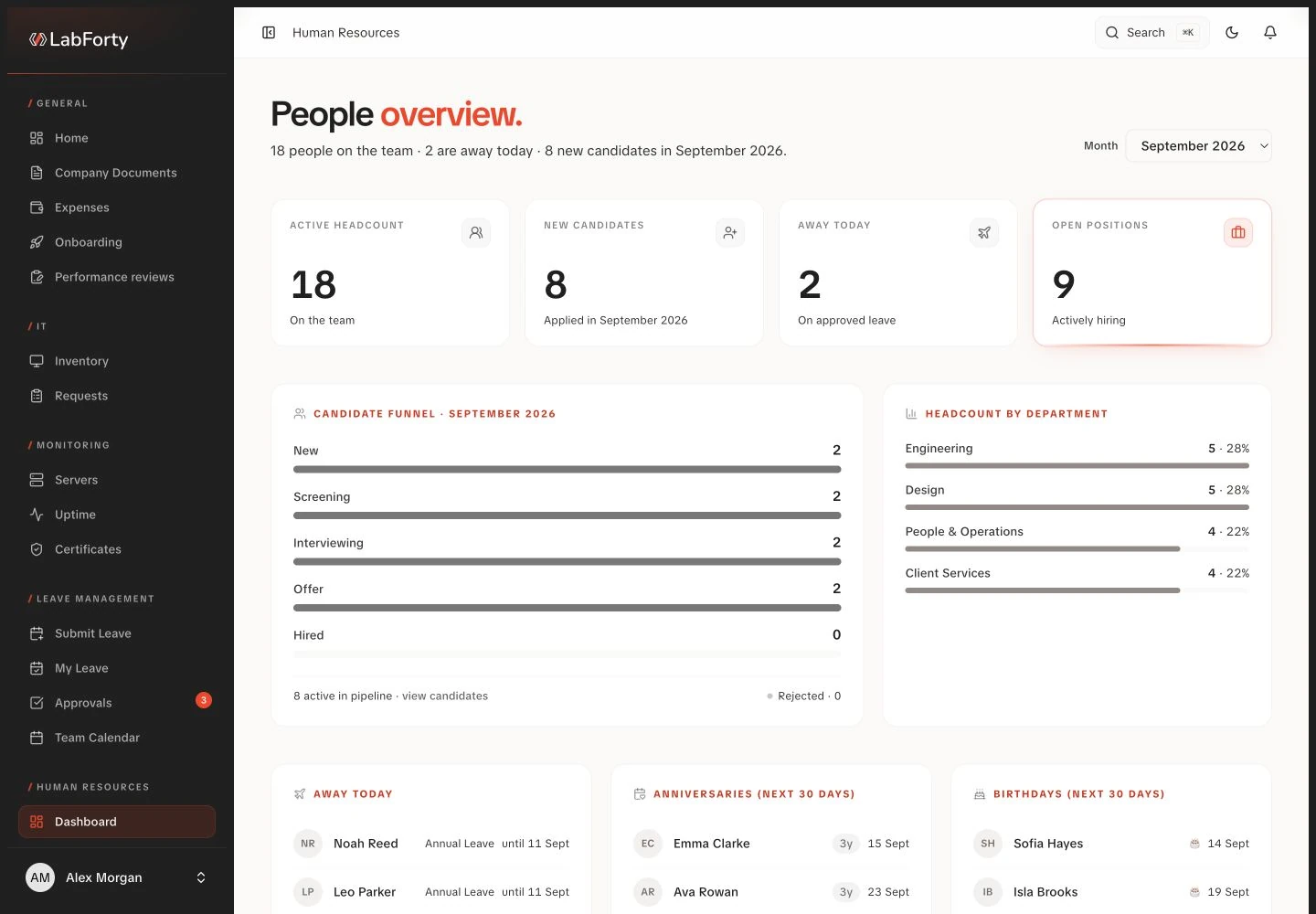
Follow each candidate from first application through screening, interviews and the hiring decision, keeping documents and notes with the record.
LabForty Core/ HR / Candidates
Who is on the team
Give HR one place to find employee details, documents, emergency contacts and employment history, with access shaped by each role.
LabForty Core/ HR / Employees
Who holds what
Know which equipment is available, who holds each device and what needs to come back when someone leaves the company.
LabForty Core/ IT / Inventory
Who is away
Let employees request time off, check their remaining allowance and follow a decision without chasing an email thread.
LabForty Core/ Leave / Team calendar
Real intranet screens · fictional demo data · English interface
All fourteen modules
People & HR
Follow each candidate from first application through screening, interviews and the hiring decision, keeping documents and notes with the record.
Give HR one place to find employee details, documents, emergency contacts and employment history, with access shaped by each role.
Let employees request time off, check their remaining allowance and follow a decision without chasing an email thread.
Turn joining and leaving into a shared checklist with a clear owner and deadline for each task across HR, IT and the team.
Give employees and managers a structured place to prepare for a review, compare their assessments and record the conversation.
Projects & equipment
Bring project details, task ownership and delivery progress into one place so the team can see what needs to happen next.
Know which equipment is available, who holds each device and what needs to come back when someone leaves the company.
Clients & finance
Keep the people, billing details and commercial history behind each client in one record that your team can return to.
Keep each proposal with its client, value, owner and supporting documents, from first draft to acceptance or rejection.
Prepare itemised invoices and proformas from client records, then follow each document through issue, sending and payment with its history attached.
Keep supplier bills and receipts in a shared process from submission to approval and recorded payment, with the original document close at hand.
Content & access
With a connected website configured, your team can organise articles, case studies, FAQs and content plans from inside the intranet.
For teams managing websites and servers, this optional module links server records to the projects that depend on them and, with monitoring configured, shows availability checks and incident history for each.
Decide which parts of the intranet each role can use, from one permission matrix.
AI
Your team checks each result before saving.
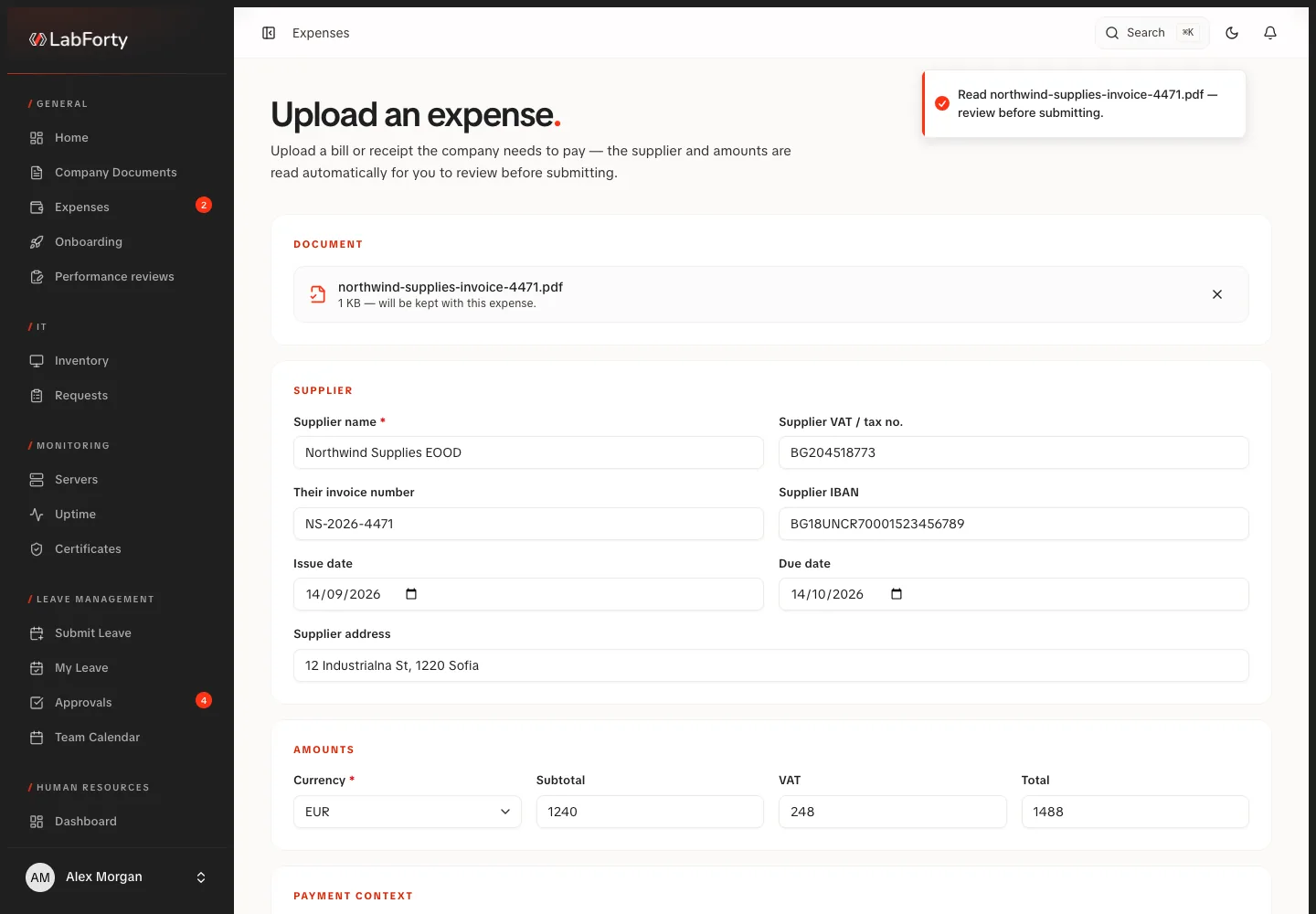
Drop a supplier bill or receipt into the expense form and check the AI-suggested values beside the document before approval and payment.
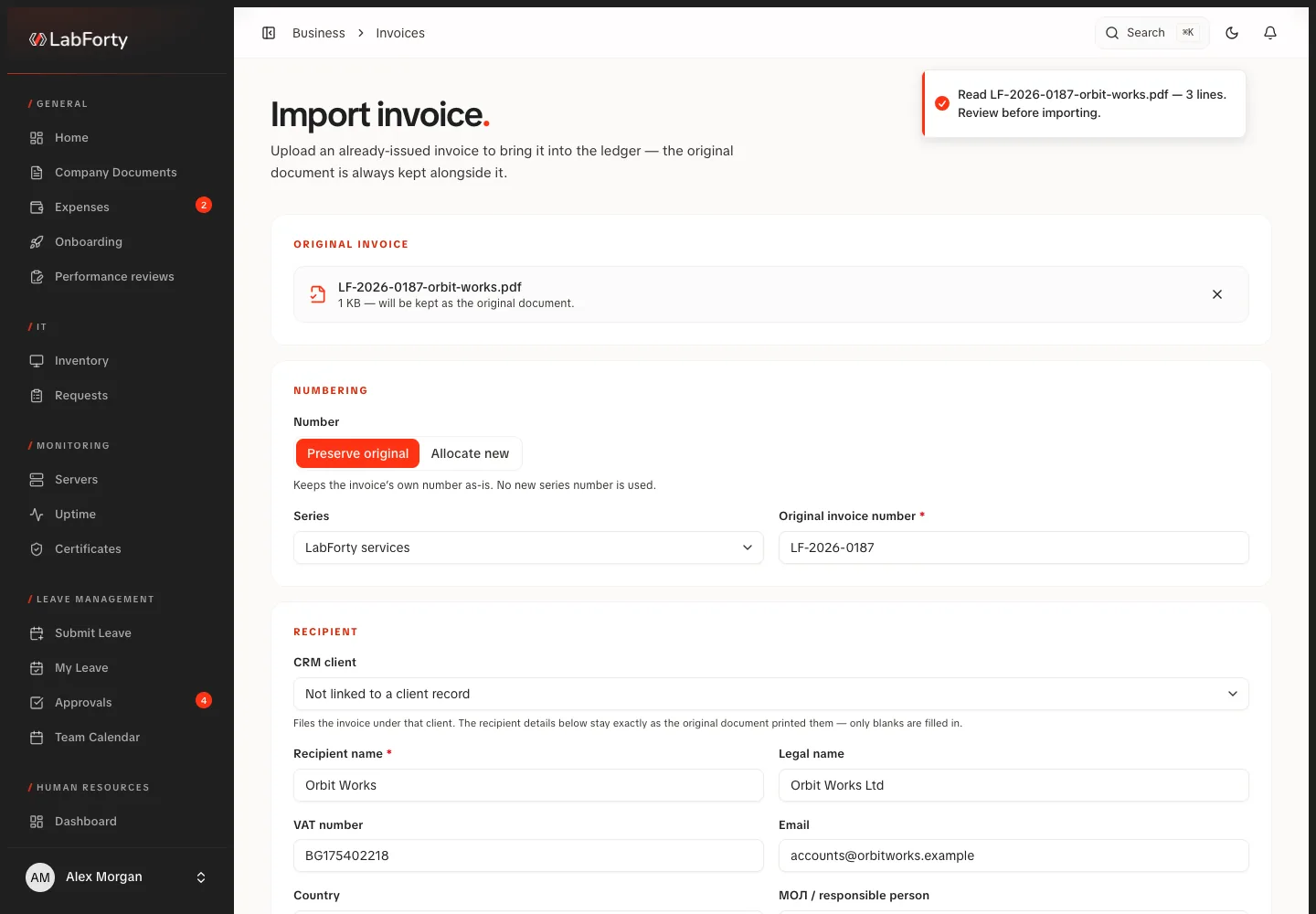
Upload an invoice you have already issued and let AI prepare its record from the document for your review.
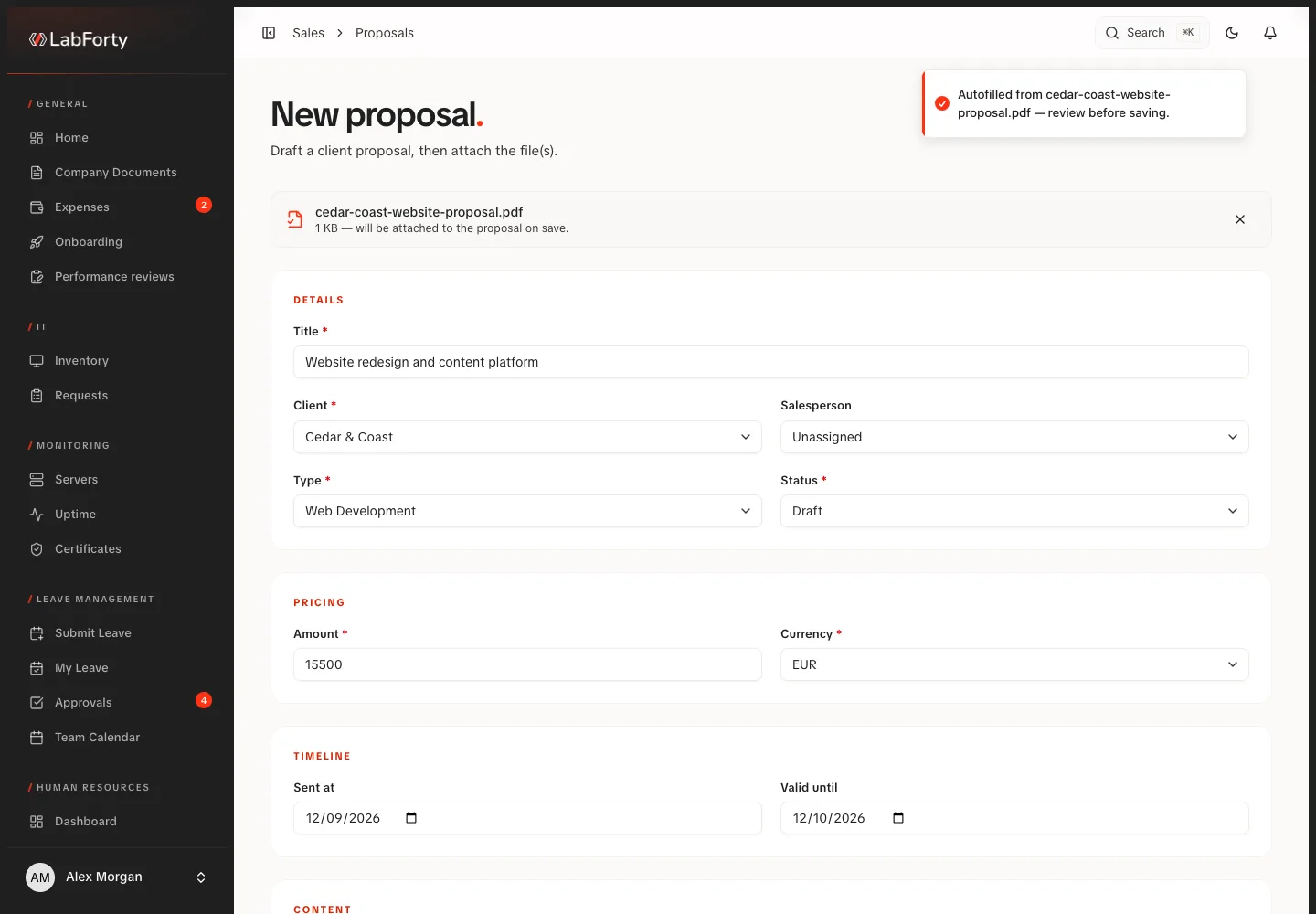
The form fills in what it recognises from an existing proposal PDF, including a matching client, and your team checks before saving.
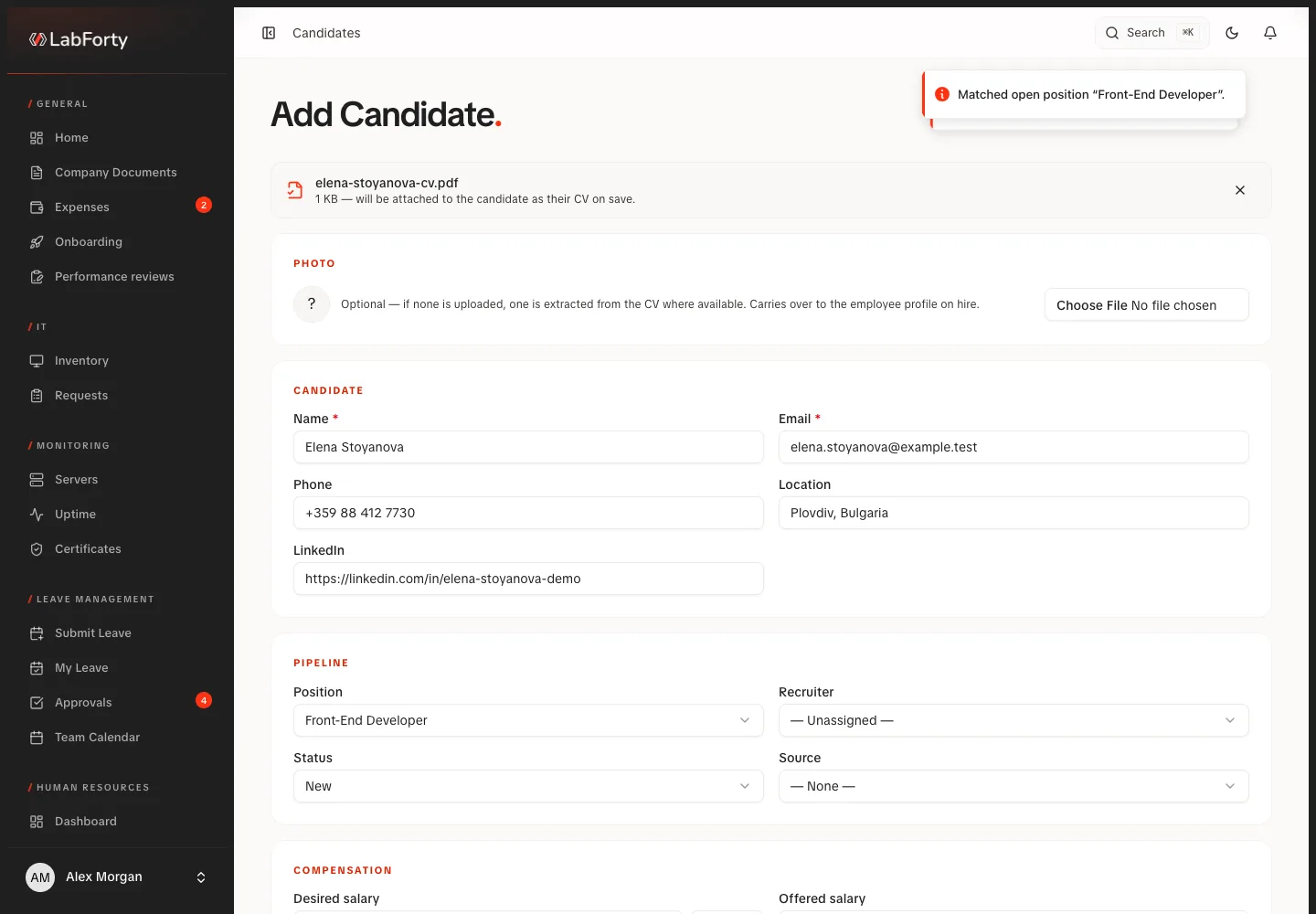
Upload a CV and start from a candidate form already filled in by the document reader and, where enabled, AI extraction.
A supplier PDF or photo becomes a filled expense form.
Hiring
CV and role become an explained score for your team.
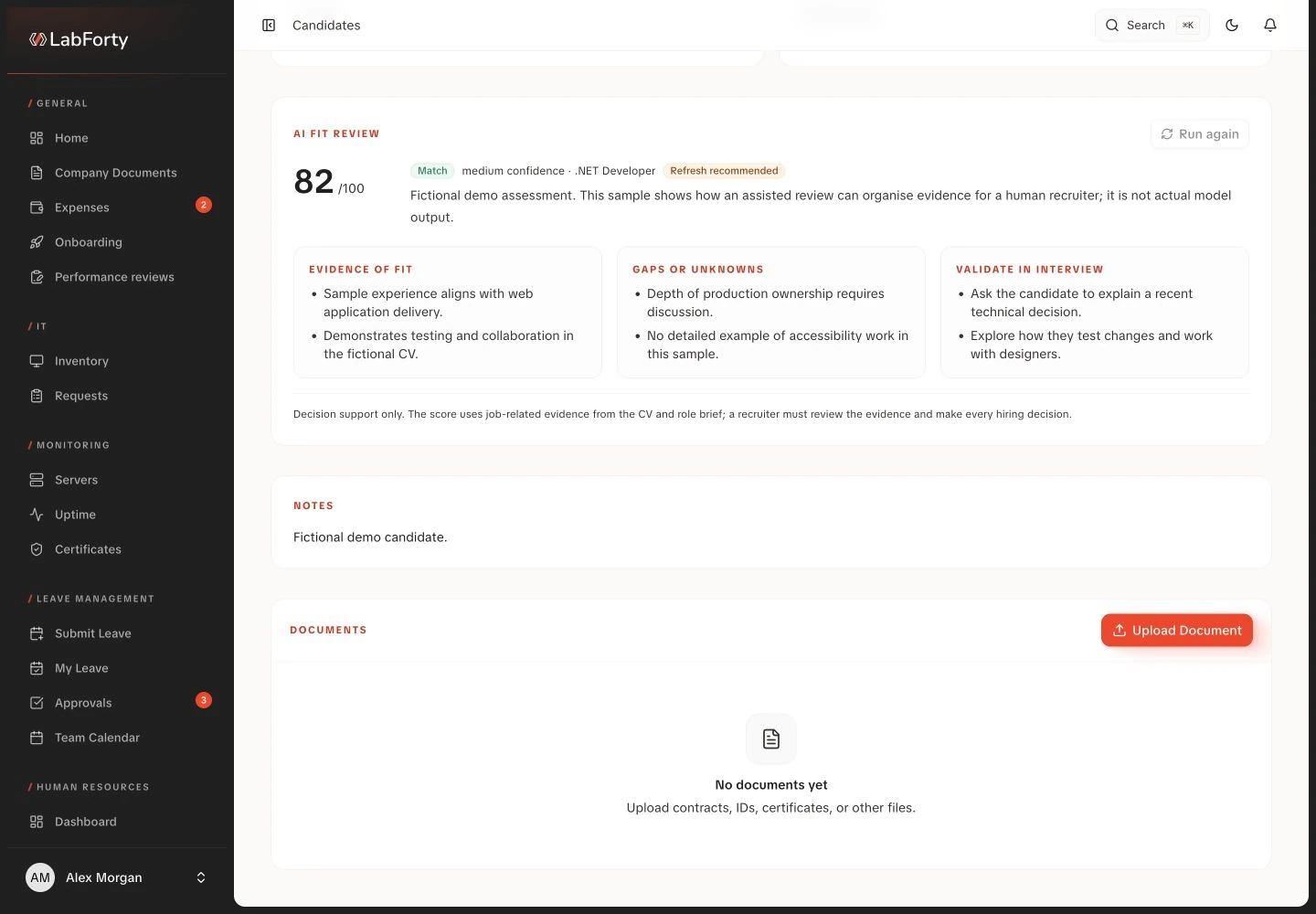
Get a scored, explained assessment of a CV against a specific role, while the hiring decision stays with your team.
Hiring
A job title becomes a first draft you edit.
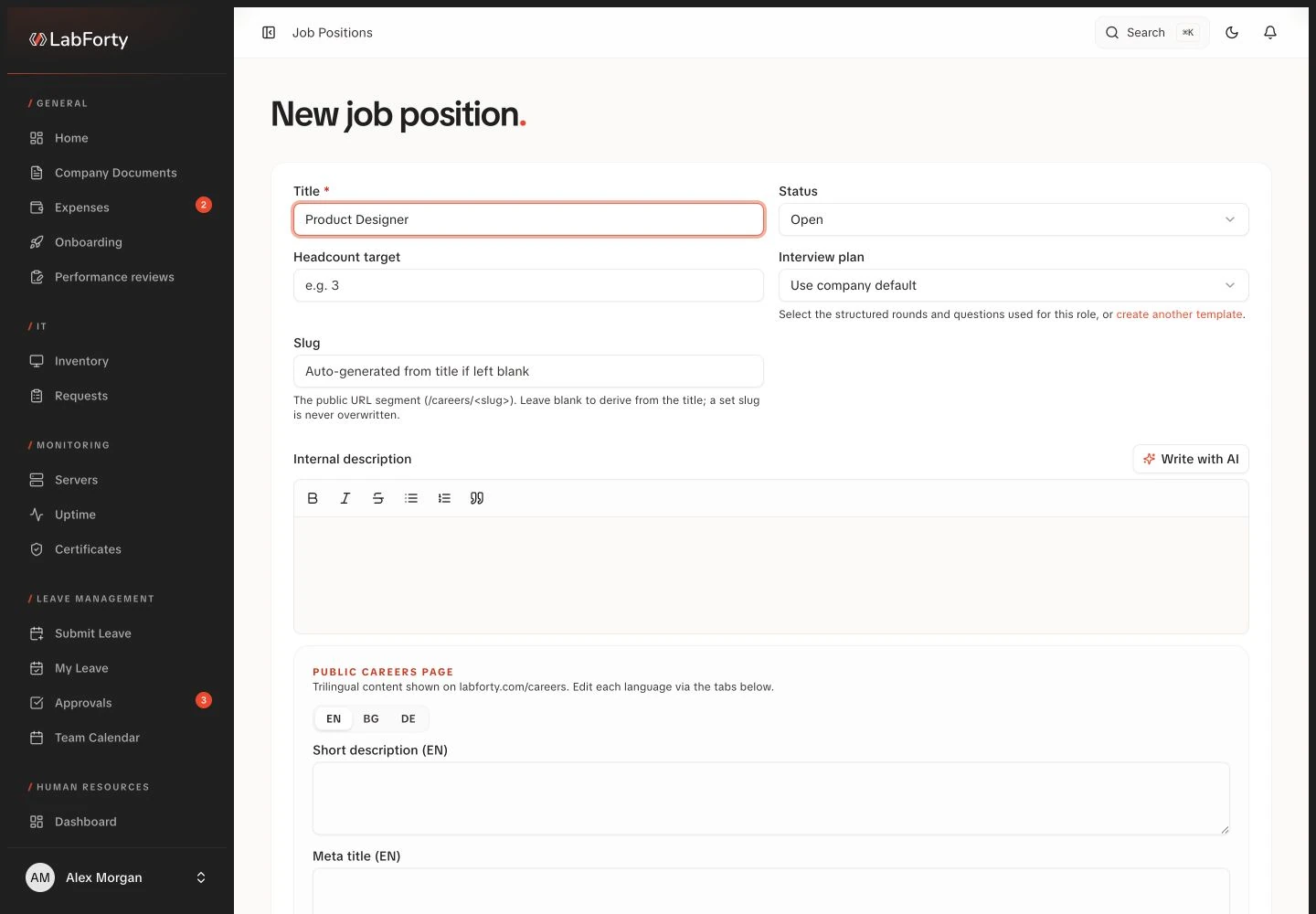
Write with AI turns a role title into a first draft that you adjust to the actual position before saving or preparing a vacancy.
Content
News stories or content plans become sourced article drafts.
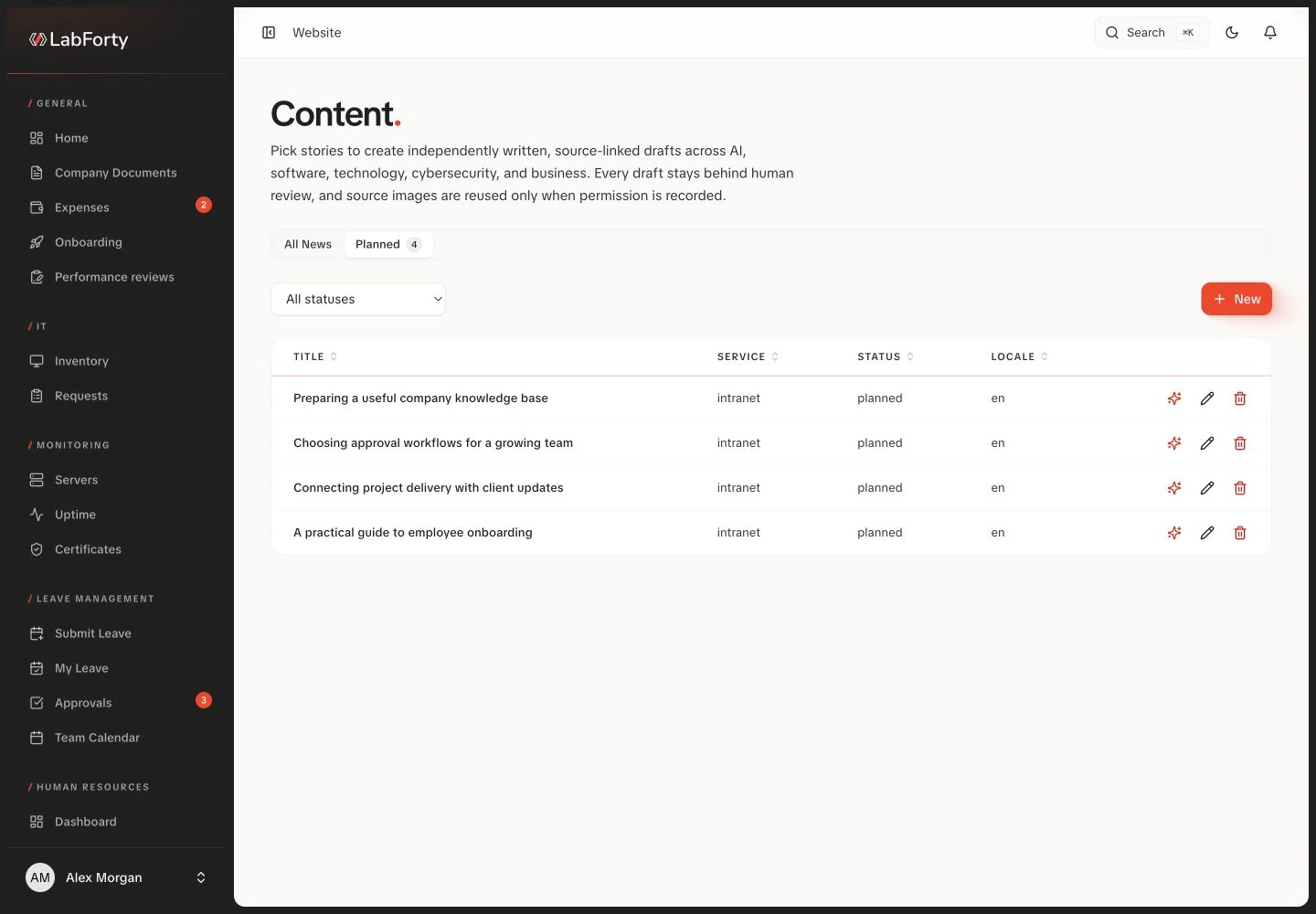
Build articles from selected news stories or your own content plans, with sources attached and claims flagged for checking during editorial review.
Content
With a supported shop connected, AI drafts descriptions and search metadata.
With a supported online store connected, draft descriptions and search metadata with AI for one product or many, and see which still lack them.
Request a demo
Tell us about your company in a short brief and we will come back to arrange a demo.